Developing themes for QTI content
Summar.io provides the possibility to add a theme per learning unit which allows all QTI content within that and underlying learning units to have a unique look and feel.
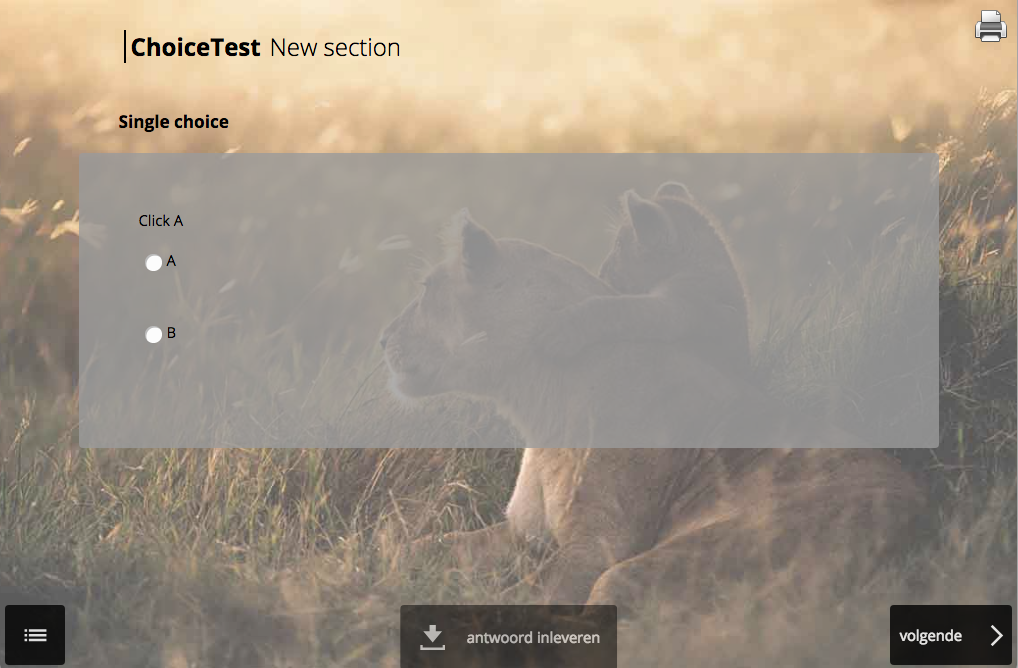
Structure of themes
A theme consists of a CSS file named QTIplayer.css, and if applicable images
which are being referred to within the CSS. These files compressed into a Zip
file form a theme that can be imported in the catalog. 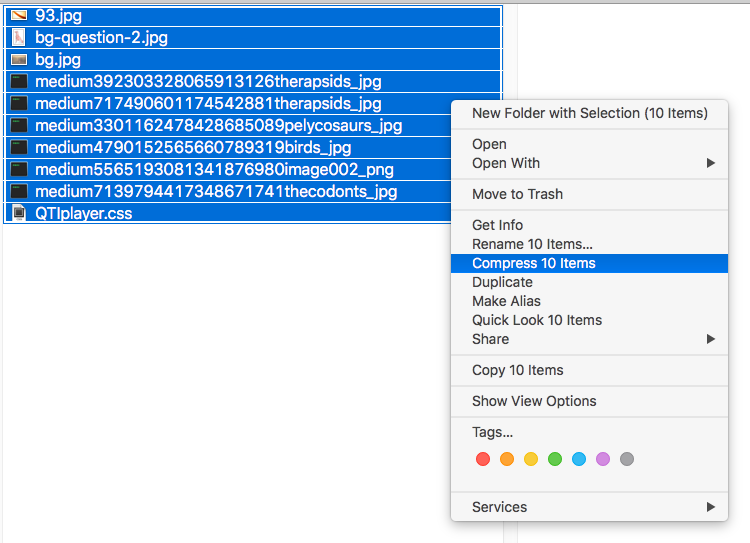
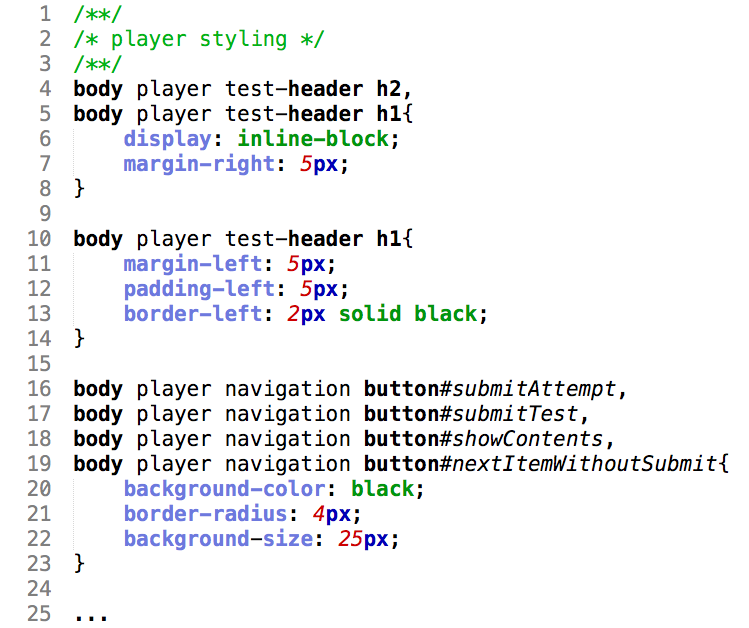
The CSS can be created by reverse engineering the HTML attributes within the
QTI environment, and styling them as desired. This makes it important to have
an understanding of CSS to be able to set up a solid theme.
Adding themes
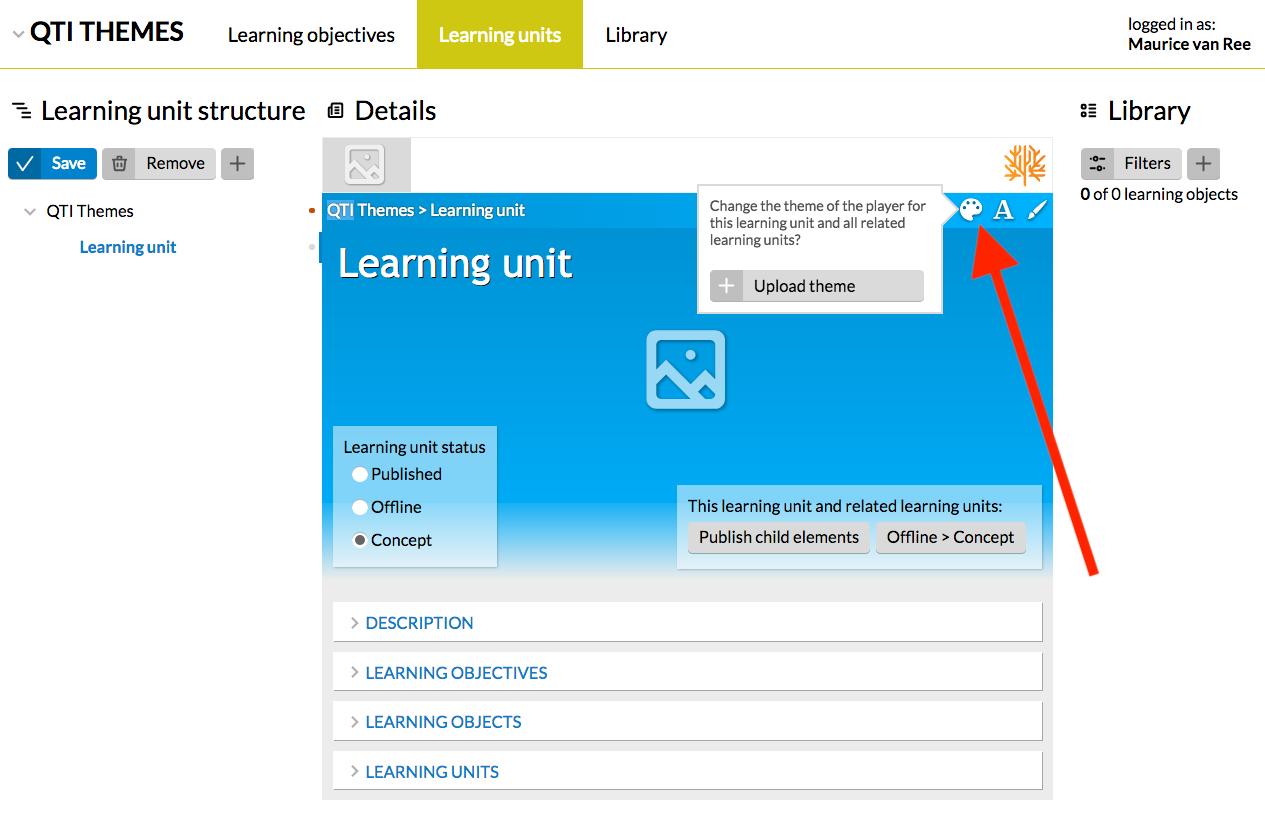
Adding a theme is done by clicking the small palette icon within the learning unit to which the theme should be applied. A small dialog containing an 'Add theme' button will be shown, clicking this button will allow a theme Zip file to be uploaded.
Related Articles
Which QTI question types are supported
Digital learning material enables new levels of interaction. In Summar.io all interaction is built up from interactive elements. An important type of interactive element is based on the QTI standard. Currently, Summar.io supports the following ...Curriculum administration
The Curriculum administration-app The Curriculum administration-app is used to manage the curricula from the Catalog and make them available for the courses in Summar.io. It is also possible to switch learning lines and content providers on and off. ...Provide student id while opening learning material
It is possible to include a student id placeholder in learning material links that refer to an external source. Summar.io then ensures that this placeholder is replaced by the actual student identifier and included in the URL when a student opens ...Learning objects
A LearningObject is "a collection of content items, practice items, and assessment items that are combined based on a single learning objective". Within Summar.io they are designed to be the basic unit of learning material that can be used in ...Other Administration apps
Cache control The Cache control-app manages 2 types of cache within Summar.io, the cache from the modules and learningobjects being used and the cache from the data that is being used in the Insight-app. With the 3 buttons you can start 3 different ...